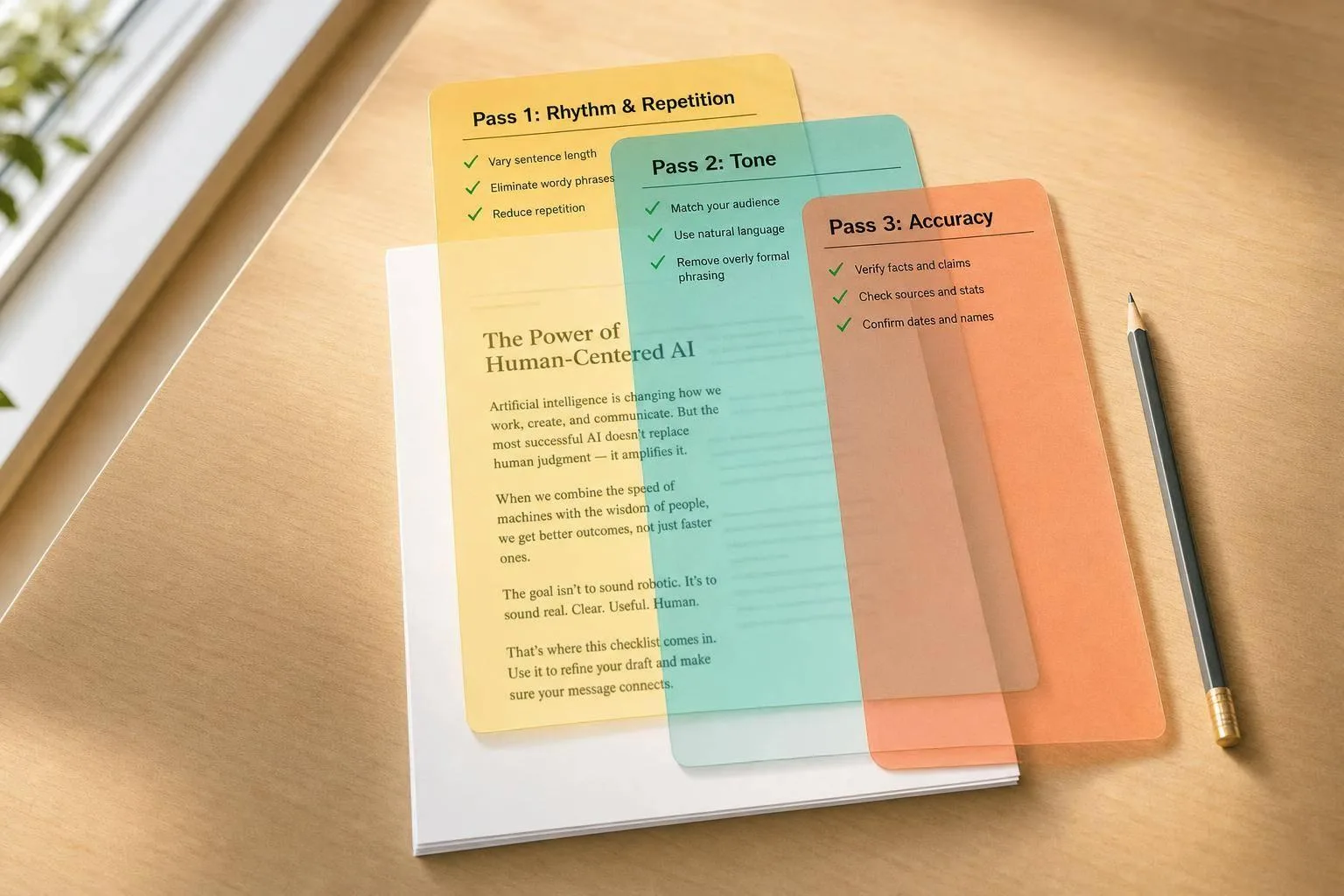
Most AI-written drafts give themselves away in under 30 seconds. In my view, the fastest fix is to check 4 things first: rhythm, repetition, tone, and accuracy.
Here’s the short version:
- Rhythm: If every sentence sounds the same length, the draft feels flat.
- Repetition: If the same openers, transitions, or wrap-up lines keep showing up, it starts to feel templated.
- Tone: If the draft doesn’t sound like something I would say, the voice is off.
- Accuracy: If claims are vague and hard to verify, the piece loses weight.
- Examples: If the draft leans on made-up scenarios instead of names, numbers, dates, or lived detail, it feels thin.
- Conclusions: If sections end with soft lines like “it depends” or “may be worth considering,” they need a firmer point.
- Format fit: A blog post, LinkedIn post, email, and newsletter each fail in different spots, so I should edit with the format in mind.
- Fix order: I get better results when I edit in this order: substance first, style second, read aloud last.
A 2024 survey from Adobe found that 83% of U.S. consumers say human oversight matters when brands use AI-generated content. That tracks with this checklist: AI can help build a draft, but I still need to shape the voice, details, and judgment.
How To HUMANIZE AI writing!
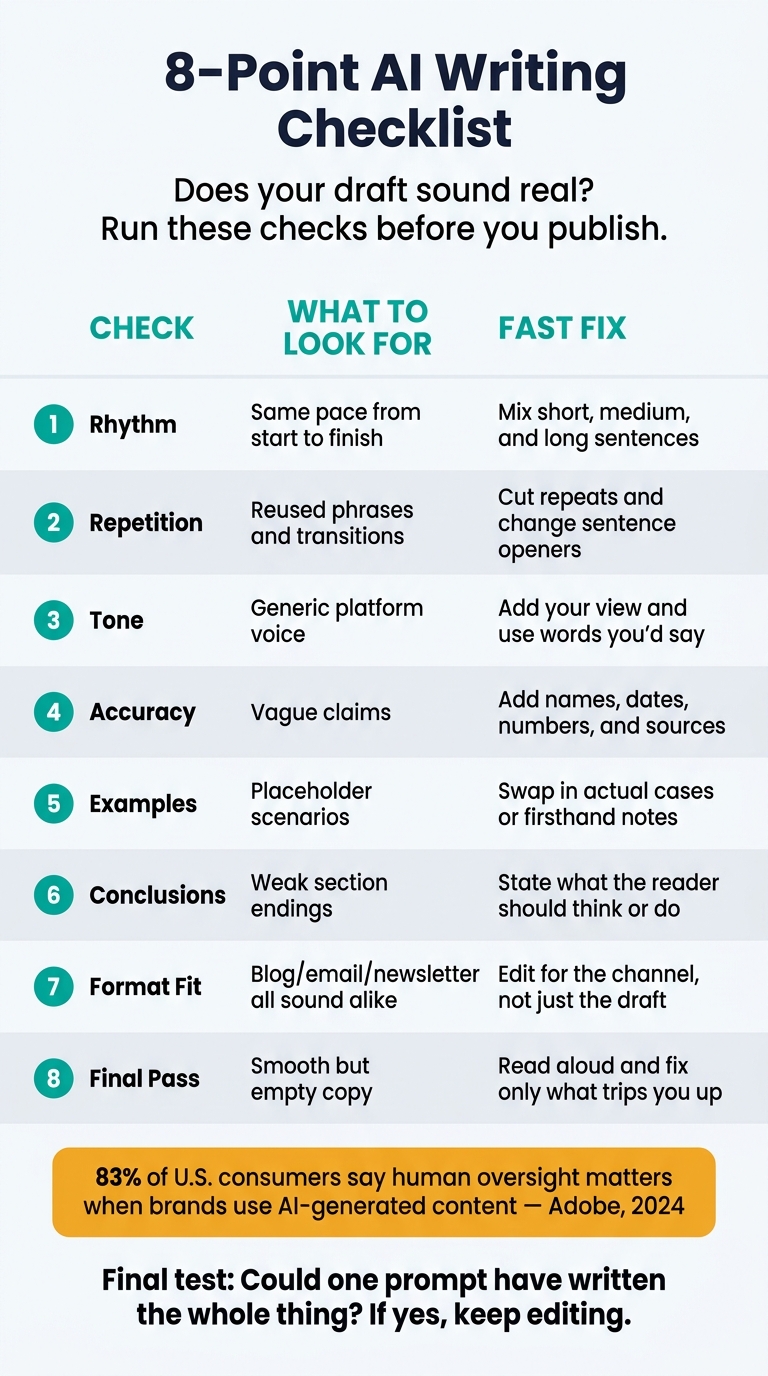
Quick Comparison
| Check | What I look for | Fast fix |
|---|---|---|
| Rhythm | Same pace from start to finish | Mix short, medium, and long sentences |
| Repetition | Reused phrases and transitions | Cut repeats and change sentence openers |
| Tone | Generic platform voice | Add my view and use words I’d say |
| Accuracy | Vague claims | Add names, dates, numbers, and sources |
| Examples | Placeholder scenarios | Swap in actual cases or firsthand notes |
| Conclusions | Weak section endings | State what the reader should think or do |
| Format fit | Blog/email/newsletter all sound alike | Edit for the channel, not just the draft |
| Final pass | Smooth but empty copy | Read aloud and fix only what trips me up |
If I can ask one last question before publishing, it’s this: Could one prompt have written the whole thing? If the answer is yes, the draft still needs work.
8 signs your draft may sound AI-written
These signs help you catch the moments when a draft was produced fast but not shaped enough. Run through them before you publish.
Check sentence rhythm, repeated phrases, and overused transitions
The most common tell is rhythm. AI drafts often move at the same medium-length pace from beginning to end. There’s no stretch or snap to the writing. Just the same beat, over and over.
Then look for repeated openers and paragraphs that close with a neat recap of what you just read. Transitions can feel a little too smooth [2]. If the last sentence only restates the paragraph, cut it.
Once the pacing sounds more natural, look at whether the wording still feels generic.
Check for vague claims, buzzwords, and empty phrases
A draft can sound polished and still say almost nothing. AI drafts often rely on buzzwords and empty lines that seem solid on the surface but don’t give the reader much.
The fix is simple: trade the abstract for the concrete. If your draft says “many companies are adopting this approach,” stop and ask which companies, when, and with what result. If you can’t answer those questions, that sentence probably doesn’t belong. Swap it for something you know: a number, a name, a date, or a firsthand note. Specific details are what make the writing land.
If the draft still feels flat, grammar usually isn’t the issue. Tone is.
Check tone, stance, and whether the voice sounds like yours
The last pass is about voice. Read a paragraph and ask yourself: would a colleague know this was mine? If it sounds like a generic platform voice instead of a person with a point of view, the tone has slipped.
Good writing takes a stand and gives the reader a reason to care. AI writing tends to hedge, avoid commitment, and play things too safe. Mix that with a neutral summary of both sides, and you get prose that seems written to please everyone. Writing with no stance doesn’t keep attention.
Check for missing specificity in examples
Generic examples sit right next to vague claims. If your draft leans on a hypothetical like “imagine a small business owner who…,” treat that as a warning sign. Strong drafts use real cases: actual products, actual outcomes, actual contexts. Replace placeholder examples with something grounded in your own experience or your research.
Check for overused sentence starters
Scan the first word of each sentence. AI drafts often begin with “This,” “It,” “There,” “Additionally,” or “Furthermore.” When several sentences in a row start that way, the writing can feel templated. Change the openers or rebuild the sentence so the main idea comes first.
Check for missing authorial judgment
A draft can explain a situation correctly and still fail to say anything that matters. If your paragraphs describe what something is without saying whether it’s good, bad, overrated, or worth doing, that’s a sign the draft is only informing, not arguing. Add a sentence that makes your view plain.
Check for hedged or passive conclusions
AI drafts often end sections with soft conclusions like “This approach may be worth considering” or “Results can vary depending on the situation.” That kind of line is filler. Replace it with a direct statement about what the reader should do or think after reading the section.
Check for tonal inconsistency across paragraphs
Read the draft one paragraph at a time and listen for shifts in register. AI drafts sometimes jump between formal and casual for no clear reason. One paragraph reads like a report; the next sounds like a blog post. Pick the register that fits your audience, then stick with it.
Format-specific checks for blogs, LinkedIn posts, emails, and newsletters
The same draft can feel human in one format and off in another. That’s why it helps to use the same checklist, but read it through the format you’re writing for.
Blog posts and LinkedIn posts: stronger hooks and more specific detail
For blog posts, look at the first sentence first. If it sounds broad or generic, the hook has no stakes. A better opening starts with a clear opinion, a specific event, or a data point that shows you have a point to make. Blogs need authority. LinkedIn posts need a first-person angle.
LinkedIn posts are easy to spot when they use polished wording but don’t say much. What tends to work better is a first-person detail tied to something concrete: a project result, a number, or a decision you made and why. Line length matters too. AI often writes with the same rhythm from line to line, and that steady cadence sticks out fast in a feed.
Posts usually fail in the hook; messages usually fail in the first clear purpose.
Emails and newsletters: clearer purpose and less template language
In emails, one of the biggest AI tells is slow purpose. Put the ask or reason for writing near the top, then add the specific meeting, project, or deadline. Clear purpose builds trust faster than polished wording.
Newsletters slip in a different way. AI often makes each section the same length, uses the same tone, and ends each part in the same pattern. It also likes to close every section with a neat summary sentence. That can make the whole thing feel built from a template. Let one section stay short. Let another end a little abruptly. A bit of variation helps the newsletter sound more like a person wrote it.
Once you know where each format tends to go wrong, fixing those tells gets a lot easier - and you don’t have to rewrite the whole draft.
How to fix AI tells without rewriting from scratch
Once you spot the tell, fix it in this order.
Use UnslopAI to find slop and rewrite without losing meaning
Paste your draft into UnslopAI to flag repetitive phrasing, flat cadence, and generic structure. Then rewrite it without losing names, numbers, or facts.
UnslopAI is built to spot AI-like patterns and rework the draft so it sounds more natural while keeping names, numbers, and facts intact. The before-and-after diff view shows what changed. The slop score tracks how much AI-like phrasing was removed. Fidelity checks help protect your factual content.
"It's not about adding mistakes or making things worse - it's about making the writing feel natural again while keeping all the information intact." - Stas Leonov [1]
After that, do one substance pass and one final read-aloud pass.
A 3-pass edit for short and long drafts
- Substance first. Add specific examples, numbers, or opinions that only you can provide.
- Style second. Run the draft through UnslopAI to clean up word choice and phrasing issues.
- Read aloud. If a sentence makes you stumble, rewrite that sentence only.
Short drafts usually need faster passes. Long drafts need a deeper substance pass.
Choosing the right UnslopAI plan for your writing volume
Use the free tier to test a few drafts. Pick the small plan if you write short-form content on a regular basis. Go with the pro plan if you handle higher-volume work.
Conclusion: One final check before you publish
After those checks, do one last pass. Read for rhythm, specificity, voice, and factual accuracy.
The goal is simple: AI should support the draft, not define it. If the whole piece feels like it could've come from a single prompt, it still needs work.
Here’s the final test before you publish: ask whether one prompt could have produced the whole draft.
Let AI handle the structure. Keep the voice, stakes, and judgment in your hands. The draft should sound like a person made the calls, not the machine.
FAQs
How can I tell if my draft sounds too AI-written?
Look for the usual tells: robotic rhythm, stiff phrasing, overly smooth transitions, safe word choices, and fuzzy general statements. AI-written drafts can also fall into the same pattern again and again, or wrap up sections with bland summary lines.
Sometimes a draft looks polished on the surface but still feels flat. It may not have a clear human voice, real stakes, or any personal judgment. That’s often where AI patterns show up.
UnslopAI can scan your text and give it a slop score, which helps you spot those patterns and clean them up.
What should I edit first in an AI-assisted draft?
Start with the draft’s voice seams. Put the AI-assisted version next to how you’d say the same thing out loud, then fix the spots that feel off.
That usually means cutting:
- flat rhythm
- repeated sentence patterns
- vague claims that don’t say much
- slick transitions that sound a little too perfect
After that, do a fast tone check. Make sure the draft still sounds like you in terms of formality, attitude, and pace. Then clean up grammar.
If you use UnslopAI, check the slop score and review the before-and-after diffs. That gives you a simple way to see whether the edits brought back your cadence and word choice.
How do I make AI writing sound more like me?
Keep editorial control over your voice, judgment, and specific examples.
Paste your draft into UnslopAI and use it to rework cadence, structure, and word choice without changing what you mean. Then review the slop score and the before-and-after diffs so you can confirm the final version still sounds like you.