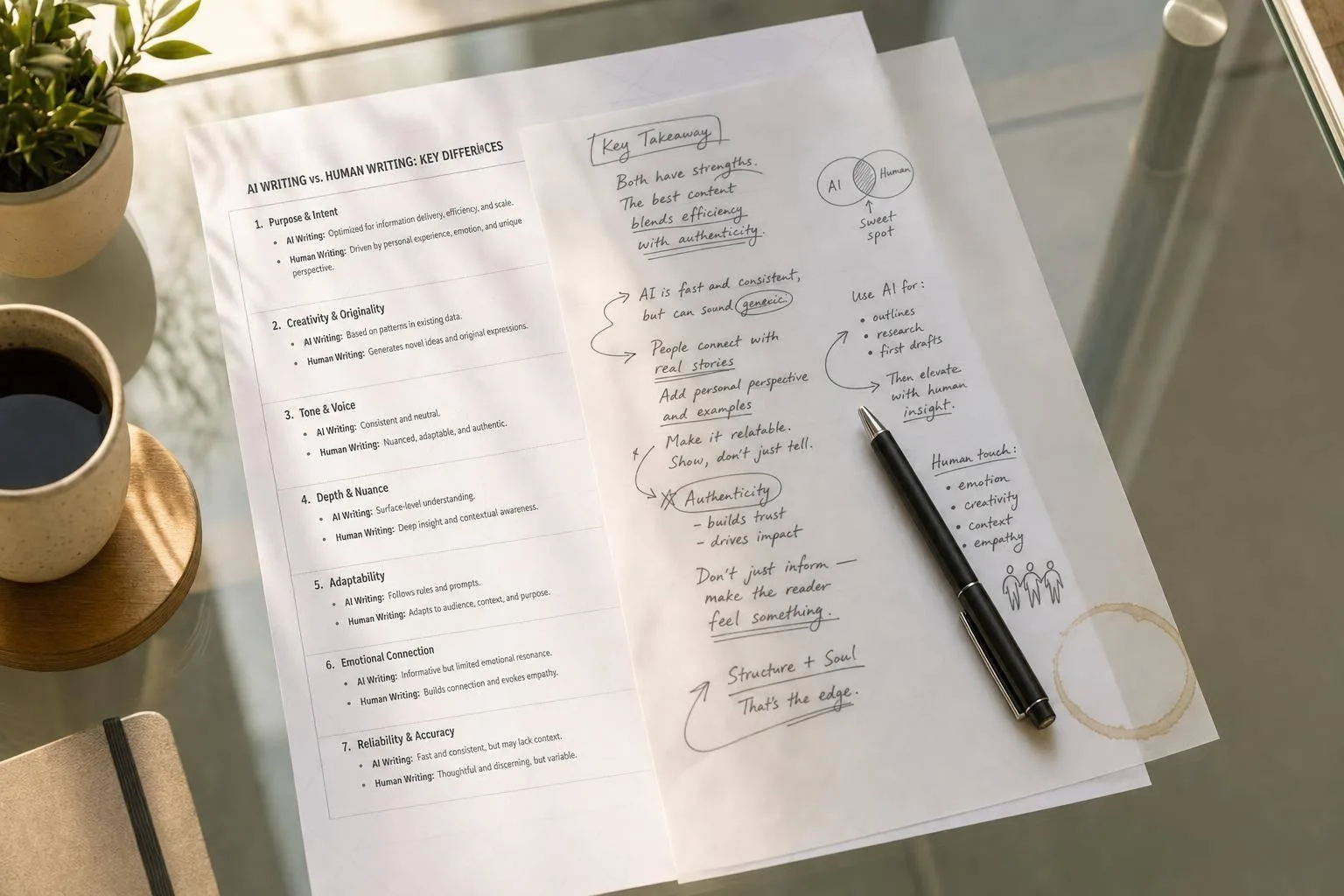
You can usually spot AI writing fast: the tone feels safe, the rhythm stays too even, the examples stay broad, and the ending ties everything up a little too neatly.
Here’s the short version: AI is good at structure. People are better at judgment, voice, and lived detail. That gap shows up most in blog posts, LinkedIn posts, emails, and newsletters, where readers expect a clear point of view. And while AI detectors can help, results can swing from 0% to 100% on the same text, so I’d treat them as a second check, not a final answer.
If I were reviewing a draft, I’d look for these signs first:
- Tone: too careful, too neutral, too smooth
- Cadence: sentence length barely changes
- Structure: each section ends with a tidy wrap-up line
- Repetition: the same transitions and points show up again
- Detail: few names, dates, numbers, or sharp examples
- Context: it sounds like it could fit almost any topic
Human vs AI Content: Burstiness & Perplexity Explained
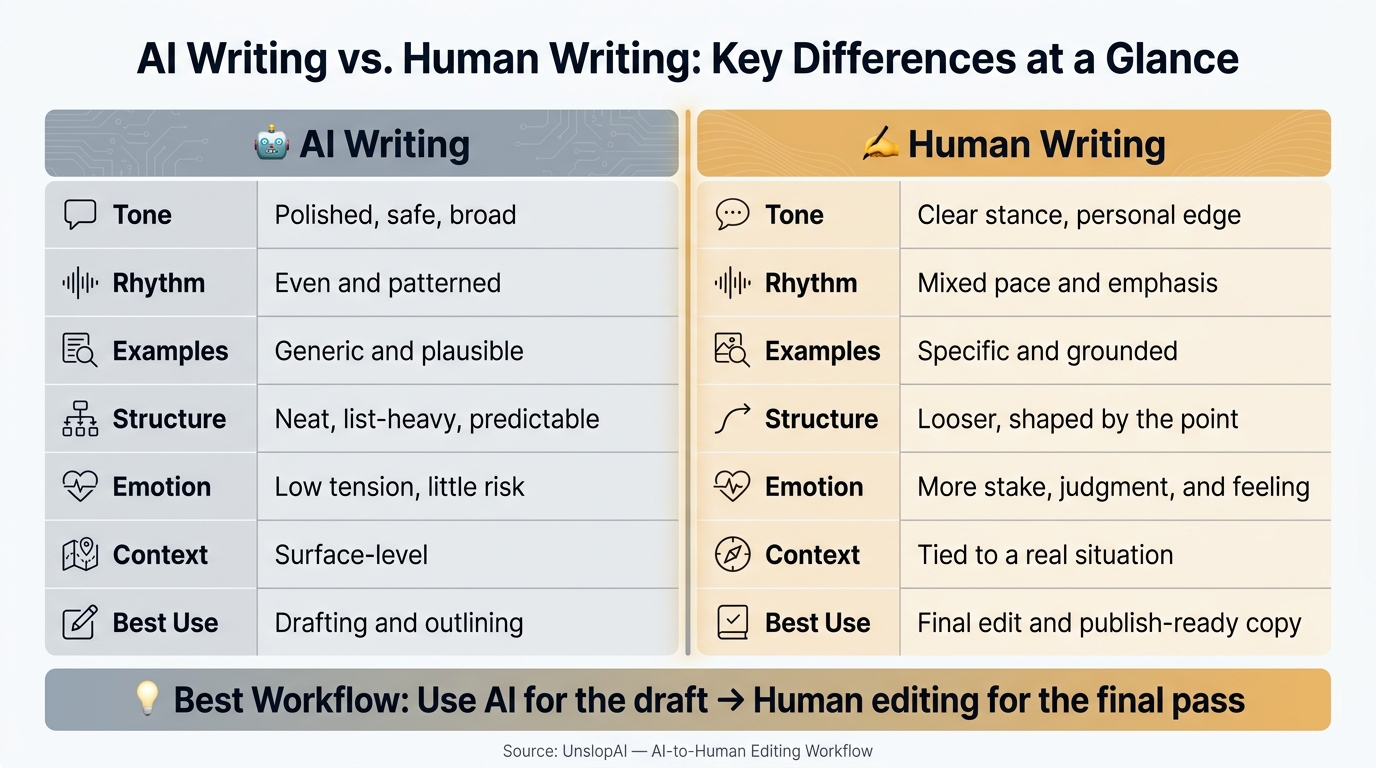
Quick Comparison
| Criteria | AI Writing | Human Writing |
|---|---|---|
| Tone | Polished, safe, broad | Clear stance, personal edge |
| Rhythm | Even and patterned | Mixed pace and emphasis |
| Examples | Generic and plausible | Specific and grounded |
| Structure | Neat, list-heavy, predictable | Looser, shaped by the point |
| Emotion | Low tension, little risk | More stake, judgment, and feeling |
| Context | Surface-level | Tied to a real situation |
| Best use | Drafting and outlining | Final edit and publish-ready copy |
My takeaway: use AI to get words on the page, then edit hard for voice, detail, and judgment. That’s how you make the writing sound like a person chose every line—or even spot the AI yourself.
Core Differences Between AI Writing and Human Writing
These differences show up fastest in tone, cadence, originality, and context.
Tone, Voice, and Emotional Nuance
AI writing often slips into a careful, neutral tone. It doesn't push hard on an opinion, and it tends to avoid the tension or vulnerability that makes a piece feel personal. The language stays broad enough to work for almost anyone.
Human writing sounds different because there's something on the line. A person writing from experience might say: "This approach wasted three weeks of our team's time before we scrapped it." AI writing is more likely to say: "This approach may not always be the most efficient option for every team." The first line comes from lived experience. The second backs away from a firm point.
That's the gap readers notice. It feels less like conviction and more like caution.
Cadence, Structure, and Repetition
AI drafts often fall into the same sentence length and the same paragraph pattern. Human writing changes rhythm on purpose.
A short sentence hits. A longer one builds pressure, adds detail, or sets up a turn. The emphasis moves around. And even after a lot of editing, the sentence patterns behind AI-generated text can still be spotted [1].
Originality, Detail, and Context Awareness
This is where the split gets hard to miss. AI writing leans toward generic claims that sound plausible but don't connect to anything concrete. Human writing uses specific names, exact timeframes, numbers, and situational detail that come from knowing the subject firsthand.
Here’s the quickest side-by-side view:
| Trait | Typical AI Traits | Typical Human Traits | What Readers Notice |
|---|---|---|---|
| Tone | Balanced, polished, emotionally safe | Strong preferences, clear stance, natural vulnerability | A stiff or artificial vibe |
| Cadence | Even sentence length, predictable pacing, smooth transitions | Variation in rhythm and emphasis, personal tics | A repetitive, robotic rhythm |
| Structure | List-heavy, predictable paragraph shapes, summary endings | More organic paragraph shapes, emphasis-driven layout | The summary sentence wrap-up at the end of every section |
| Repetition | Recycled transitions, same idea restated multiple ways | Varied phrasing and one-off emphasis | Patterns that stick around even after heavy editing |
| Originality | Generic claims, pattern-based examples, anonymous voice | Lived detail, sharp judgment, specific expertise | Writing that feels like it could've come from any prompt |
| Emotional Nuance | Avoids strong positions or tension | Shows vulnerability, stakes, and personal judgment | A lack of real opinion or point of view |
| Context Awareness | Organized but surface-level; lacks situational depth | Real names, concrete timeframes, local or domain-specific detail | Writing that feels generated in a vacuum |
How These Differences Show Up in Blogs, LinkedIn Posts, Emails, and Newsletters
These traits show up in different ways depending on the format. Each format tends to expose a different weak spot.
Blog Posts and LinkedIn Posts: Fast AI Drafts vs. Human Voice
AI is especially helpful for blog post scaffolding. It can put together a clear outline fast and get structure on the page quickly [2]. That speed is useful.
The problem starts when the draft goes live without a human pass. The intro can feel too broad, the examples can sound generic, and the voice can come across as anonymous [2]. The piece may look clean on the surface, but it doesn't feel like anyone in particular wrote it.
LinkedIn posts make this even easier to notice. When the rhythm is predictable and the wording feels polished but generic, the post starts to sound templated. That kind of formulaic writing sticks out almost right away.
A human edit usually changes the parts readers notice first:
- The canned opener gets replaced with a specific moment
- The rhythm gets less predictable
- A clear point of view gets added where AI would hedge
That shift matters. On LinkedIn, people respond to posts that sound like they came from a person, not a system.
Emails and Newsletters: AI Structure vs. Human Judgment
The same pattern shows up again in shorter, relationship-driven writing. AI emails often run too long and sound too formal for the moment [2]. They also tend to include more than the situation calls for.
A human writer does something different. They read the room. They look at the relationship, the stakes, and the timing, then cut what doesn't need to be there.
Newsletters sit somewhere in the middle. AI can help keep a newsletter organized and consistent from issue to issue [2], which helps when you're publishing on a set schedule. But keeping a recurring voice and a real relationship with subscribers takes human judgment.
People come back to newsletters for voice and judgment. That's what you should look for before editing.
Blogs need voice, LinkedIn needs specificity, emails need judgment, and newsletters need consistency.
How to Spot AI Patterns and Decide When to Edit
Manual Signals Readers Notice First
The easiest signs to spot don't need a tool. You can often hear them the moment you read the draft out loud.
Listen for uniform rhythm - sentences that hit with the same cadence, paragraphs that keep wrapping up with a neat summary line, and transitions that feel a little too polished [1]. Also watch for overused AI words. Terms like delve, showcase, underscore, align, boast, garner, and intricate show up much more often in AI-written text than in natural human writing [5]. The rule of three can be a giveaway too, especially when it appears in a stiff, repeated pattern across multiple paragraphs [5].
A good fix is simple: swap any generic claim for one concrete detail, example, or number. If a sentence could slide into almost any article and still make sense, it's too vague. Make it about this article.
If you're still not sure, that's the point where a detector can help as a second check.
AI Detector Scores and Their Limits
Detector tools can help with a first pass, but they should not be treated like a final ruling. The exact same text can score 100% AI on one tool and 0% on another [4].
False positives happen too. Highly structured writing can trigger them, and so can polished prose from non-native English speakers or neurodivergent writers [4]. In plain English: human writing can get flagged just for sounding neat and predictable.
Use detector output as one signal, not the signal. Pair it with a close read for voice, cadence, and specificity before you decide what to change. Then use that mix of signals to judge how much editing the draft needs.
When AI Patterns Are Acceptable and When They Hurt Credibility
| Writing Type | Edit Needed? | Why It Matters |
|---|---|---|
| Internal notes or rough summaries | Usually no | Clarity matters more than voice |
| SEO blog drafts after human editing | Conditionally | AI can provide structure, but the final pass needs voice and specificity |
| LinkedIn founder posts | Yes | Readers expect a real person's perspective |
| Job outreach emails | Yes | Generic tone signals low effort right away |
| Client-facing emails | Yes | Trust depends on judgment and context |
For internal notes or rough summaries, a clean but generic draft is often fine. But once the reader is judging you - in a founder post, a pitch email, or a client message - obvious AI-style patterns can hurt credibility fast.
That final pass should make the draft sound specific, credible, and human.
Conclusion: Where UnslopAI Fits in an AI-to-Human Editing Workflow
Once you know what gives AI writing away, the fix is pretty simple. AI can get the rough draft on the page. Human editing brings back voice, detail, and judgment. In practice, the best setup is AI for the draft, human editing for the final pass. AI handles the structure and range. The human makes it sound like it came from an actual person.
What to Edit Before You Publish or Send
Before you publish or hit send, do a quick check. Change up the rhythm. Mix short sentences with longer ones so the writing doesn’t march along at the same pace. Cut any paragraph that wraps up with a tidy summary line. Swap broad claims for something concrete, like a real number, a named example, or a specific situation.
Then check the point of view. AI tends to fall back on a smooth, anonymous tone, so most drafts still need a firmer opinion or a clearer angle. Better writing isn’t just cleaner on the surface. It shows who’s speaking.
How UnslopAI Helps Make Drafts Sound More Human
Some AI habits stick around even after careful editing. Sentence rhythm can still feel too even. Transitions can sound too polished. Word choices can stay cautious and bland through several rounds of revision. That’s where a rewrite pass can help.
UnslopAI is built for content that already says the right thing but still sounds too polished to feel natural. It gives you a slop score that shows how machine-like the draft reads, before-and-after diffs, and fidelity checks so you can confirm that names, numbers, and claims stayed intact.
"It's not about adding mistakes or making things worse - it's about making the writing feel natural again while keeping all the information intact." - Stas Leonov, Product Researcher [3]
The goal isn’t to hide AI use. It’s to make the final draft sound human, accurate, and specific, because the last call still belongs to a person.
FAQs
Can AI writing still sound human after editing?
Yes. AI writing can sound human after editing, but it can still leave a faint sentence-level fingerprint. Even after a heavy rewrite, some machine-made patterns tend to stick around.
The best move is to use AI for structure and organization, then keep the judgment, stakes, and voice in human hands. Your own word choices, rhythm, and lived experience go a long way toward cutting the machine-like feel.
Why do AI detectors disagree so much?
AI detectors often disagree because they rely on different statistical assumptions about what looks human and what looks machine-made. In many cases, they judge how closely a piece of text follows the predictable patterns often seen in AI-generated writing.
That’s where things get messy. Human writing can also look patterned and orderly, especially in technical, academic, or legal content. So a detector may flag perfectly human text just because it’s structured, precise, and consistent.
On top of that, each detector is calibrated differently. Some are more aggressive, while others are more cautious. And because these tools still struggle to tell one model’s writing from another, the results can vary a lot from one detector to the next.
Which types of writing need the most human editing?
Writing needs the most human editing when it leans on personal voice, individual judgment, or lived experience. AI can sort ideas well, but the output often feels generic, too polished, or a little robotic.
Put human editing first when the draft depends on:
- Subjective viewpoints and honest opinions
- Editorial judgment and a steady single-author voice
- Fixing sentence-level AI-isms, like repetitive rhythm or forced summary lines
That’s where a person makes the biggest difference. A human editor can tell when a sentence sounds flat, when a point needs more bite, or when the writing doesn’t sound like the person behind it. AI can get you a draft. But voice, taste, and lived perspective still need a human hand.