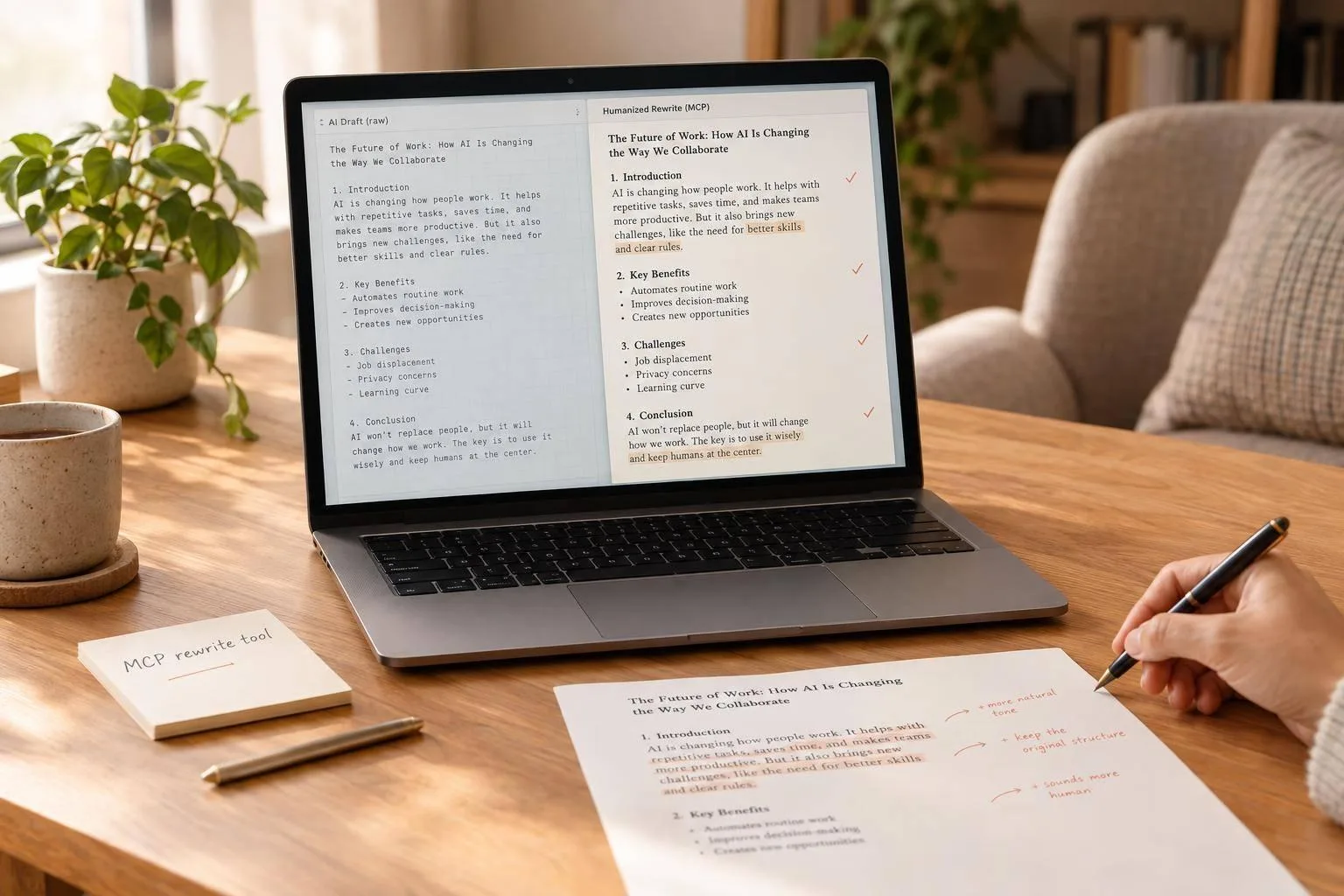
I use MCP to send a ChatGPT draft to UnslopAI for a rewrite - not to hand over the final say. Start with one non-sensitive draft, ask for light edits, and check that your facts and voice stay intact.
Here’s the process I follow:
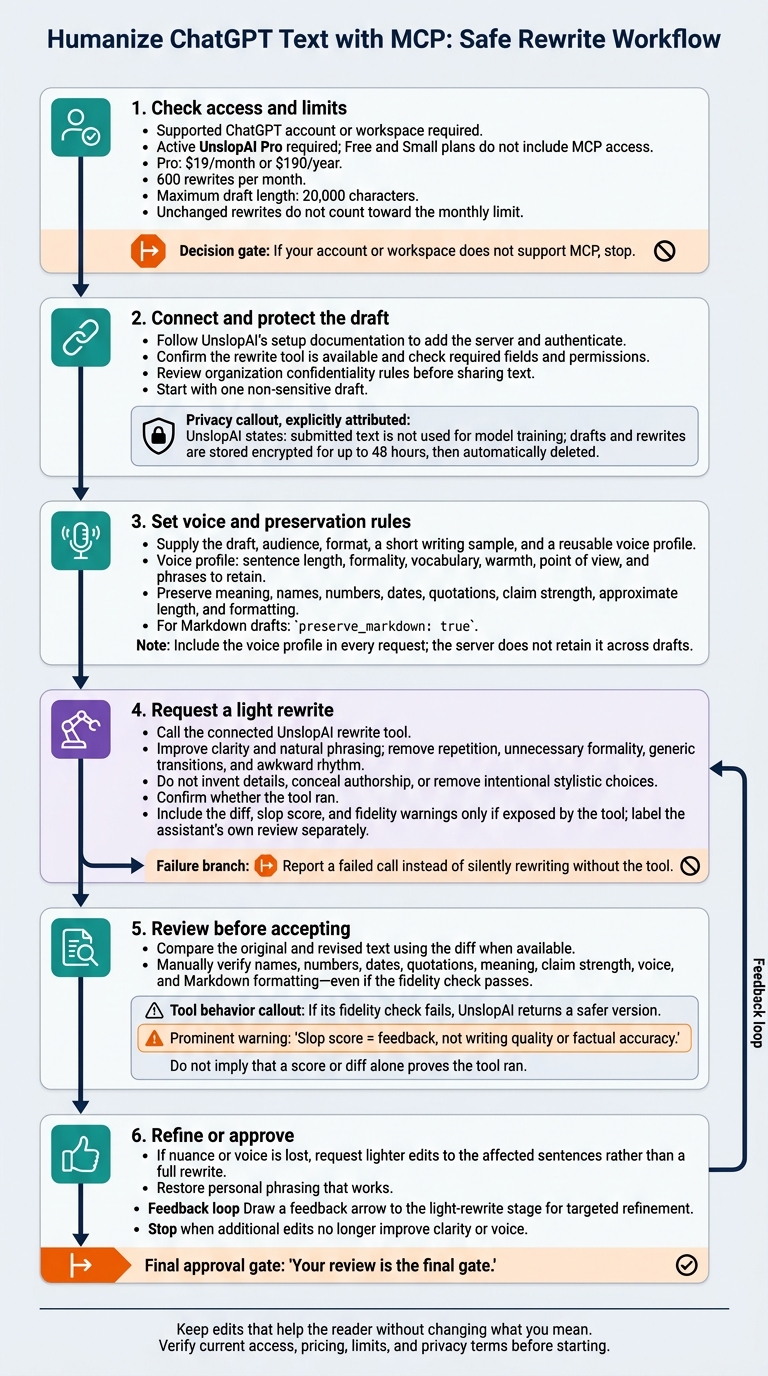
- Check access: A supported ChatGPT account and UnslopAI Pro are required. Pro is listed at $19/month or $190/year, with 600 rewrites per month and a 20,000-character limit per draft.
- Connect and set rules: Follow the server setup docs, provide a writing sample, and specify what must stay unchanged. Use
preserve_markdown: truefor Markdown drafts. - Review the result: Confirm the tool ran, compare the diff, and check names, numbers, dates, and claims. I treat the slop score as feedback, not a quality grade.
- Protect the draft: Review permissions before sharing text. UnslopAI says submitted text is not used for model training and is stored encrypted for up to 48 hours before deletion.
My rule: keep edits that help the reader without changing what I mean. Reuse a short voice profile across drafts, and verify current access, pricing, and privacy terms before starting.
🔧 How to Add Custom MCP Tools to ChatGPT | Step-by-Step Guide
Think you can spot the AI in your own writing? Test your detection skills before you start humanizing.
Step 1: Connect ChatGPT to UnslopAI
Before sending your ChatGPT draft to UnslopAI for a humanized rewrite, make sure you have a supported ChatGPT account or workspace, a draft you can share, and UnslopAI’s setup docs open. [2]
Check Plan Access and Draft Limits
You’ll need an active UnslopAI Pro subscription. Pro costs $19 per month or $190 per year and includes API and MCP access, 600 rewrites per month, and drafts up to 20,000 characters. Free and Small plans don’t include MCP access. Rewrites that leave your text unchanged don’t count toward the monthly limit. [2][4]
Before connecting, verify the current pricing, limits, and support for your ChatGPT workspace. [2][4]
Add the Server and Check Its Tools
Open the MCP connection settings in your ChatGPT account. Follow UnslopAI’s documentation to add the server and authenticate. If your account or workspace doesn’t support MCP, stop here. [2]
After connecting, check the tool list and required fields in ChatGPT’s MCP interface. Confirm that the rewrite tool is available and accepts your draft within the 20,000-character limit. You can then send the draft for a rewrite that keeps your voice. [2][4]
Review Privacy and Fix Connection Errors
Before submitting text, review your connection permissions and your organization’s confidentiality rules. UnslopAI states that it does not use submitted text to train models. Drafts and rewrites are stored encrypted for up to 48 hours, then automatically deleted. [2][5]
| Issue | What to check |
|---|---|
| Missing connection option | Verify that your ChatGPT account or workspace supports MCP connections. [2] |
| Authentication failure | Follow the documented MCP authentication flow. [2][4] |
| Unavailable tool | Check the server’s tool permissions. [2] |
| Oversized draft | Shorten or split the draft to fit the 20,000-character limit. [2][4] |
Step 2: Request a Rewrite That Keeps Your Voice
Once the server is connected, send a rewrite request that sets clear rules for facts and voice before the tool runs.
Describe Your Voice and Protect the Facts
Give ChatGPT your draft, audience, and format. Then describe your voice in concrete terms: short sentences, direct wording, warmth, and point of view. Include a short writing sample so it has something to follow.
State what must stay unchanged: names, numbers, dates, quotations, claim strength, length, and formatting. [3][7]
For a newsletter draft, the request might look like this:
Hypothetical small-business newsletter request: Keep the offer price ($49.99), the deadline (Oct 12, 2026), and the existing call to action unchanged. Write in a warm, direct voice. Use en-US spelling and dollar formatting. Do not add urgency or promises that are absent from the draft. [7]
Build a Reusable Rewrite Request
Use the same prompt format for each draft to keep edits consistent. Attach the draft and, if it uses Markdown, set preserve_markdown: true to keep the layout intact. [4]
Task: Call the connected UnslopAI rewrite tool on the attached draft. Improve clarity and natural phrasing; do not invent details or conceal authorship.
Preserve: Meaning, names, numbers, dates, quotations, claim strength, approximate length, and formatting.
Adjust: Make light edits. Remove repetition, unnecessary formality, generic transitions, and awkward rhythm. Keep intentional stylistic choices.
Voice: Follow my attached writing sample. Keep its sentence length, directness, warmth, and point of view.
Output: Return the revised text. Confirm whether the tool ran. Include its diff, slop score, and fidelity warnings only if exposed by the tool. Label your own review separately. If the call fails, report that instead of silently rewriting the draft yourself. [2][3][4][7]
Ask for Diffs and Fidelity Checks
UnslopAI provides before-and-after diffs, slop scoring, and a built-in fidelity check for names, numbers, claims, and approximate length. If the fidelity check fails, the tool returns a safer version. The slop score shows how much AI-like phrasing was removed. [2][3]
| Check | Request instruction | Manual review |
|---|---|---|
| Meaning | Keep the message and claim strength. | Did any promise become stronger? |
| Voice | Preserve deliberate stylistic choices. | Does it still sound like you? |
| Fluency | Smooth awkward rhythm. | Read aloud; check intentional fragments. |
| Facts | Keep names, prices, and dates unchanged. | Compare each against the original. |
| Formatting | Preserve Markdown. | Check headings, emphasis, and links. |
Use the diff and fidelity check to spot edits that need a second pass.
Step 3: Review and Refine the Rewrite
Check the Text, Diff, and Scores
Use the first pass’s diff and fidelity notes to decide what needs another pass. Your review is the final gate. Read for meaning and clarity before checking the score. Review flagged changes, then check names, numbers, dates, and the strength of each claim against the original - even if the fidelity check passes. [2][6][8]
UnslopAI’s slop score gives you a rough sense of how much AI-sounding phrasing the tool removed. It does not measure writing quality or factual accuracy. [3]
Fix Problems with Targeted Edits
If a passage loses nuance, ask for a lighter pass on those sentences rather than a full rewrite. Restore personal phrasing that works, even if it doesn’t improve the score. Stop when the draft reads naturally and more edits no longer improve its clarity or voice. [2][3][6]
Reuse Your Voice Profile Across Drafts
Keep a short voice profile with your preferred sentence length, formality level, vocabulary, and specific phrases to retain. Include it in every request; the server doesn’t retain it across drafts. [3]
Conclusion: Keep the Author in Control
Before your first rewrite, check that your account still has MCP access and enough quota. [2][4] Read the privacy terms before submitting sensitive text: drafts are encrypted and deleted within 48 hours. [2][5][6]
Once connected, start with one non-sensitive draft and a light pass. Provide your voice profile and constraints so the rewrite preserves your facts and meaning. Then check the diff and slop score to confirm the tool ran. [2][3] Keep the final judgment yours: accept edits that make the writing clearer - not just improve the score - and reject changes that flatten your voice. You decide what stays. [3][6]
FAQs
How can I verify that ChatGPT used the MCP tool?
Check the History section in your UnslopAI account. Every rewrite performed through the MCP server gets its own ID and stays stored for 48 hours [1].
You can review the rewrite’s before-and-after diffs and slop score to check what changed [1][2]. If the engine finds that no changes are needed, it returns a no-op status, which is also tracked in your account [1].
What if my slop score improves but my voice changes?
UnslopAI removes AI-typical phrasing while keeping your voice and original meaning intact. Instead of just swapping words, it adjusts rhythm, structure, and word density to help the text flow naturally.
If the rewrite doesn’t sound like you, use the before-and-after diffs to review each edit. Check that the text still reflects your style as the AI-generated tone is reduced.
How can I split long drafts without losing consistency?
Use the same account to process each section through the UnslopAI MCP server or API. This keeps the editing standard consistent. Built-in fidelity checks help preserve your original numbers, names, and claims so the core meaning stays intact across sections.
If a section fails a fidelity check, the system provides a safer version to help maintain a consistent tone and factual accuracy throughout the draft.