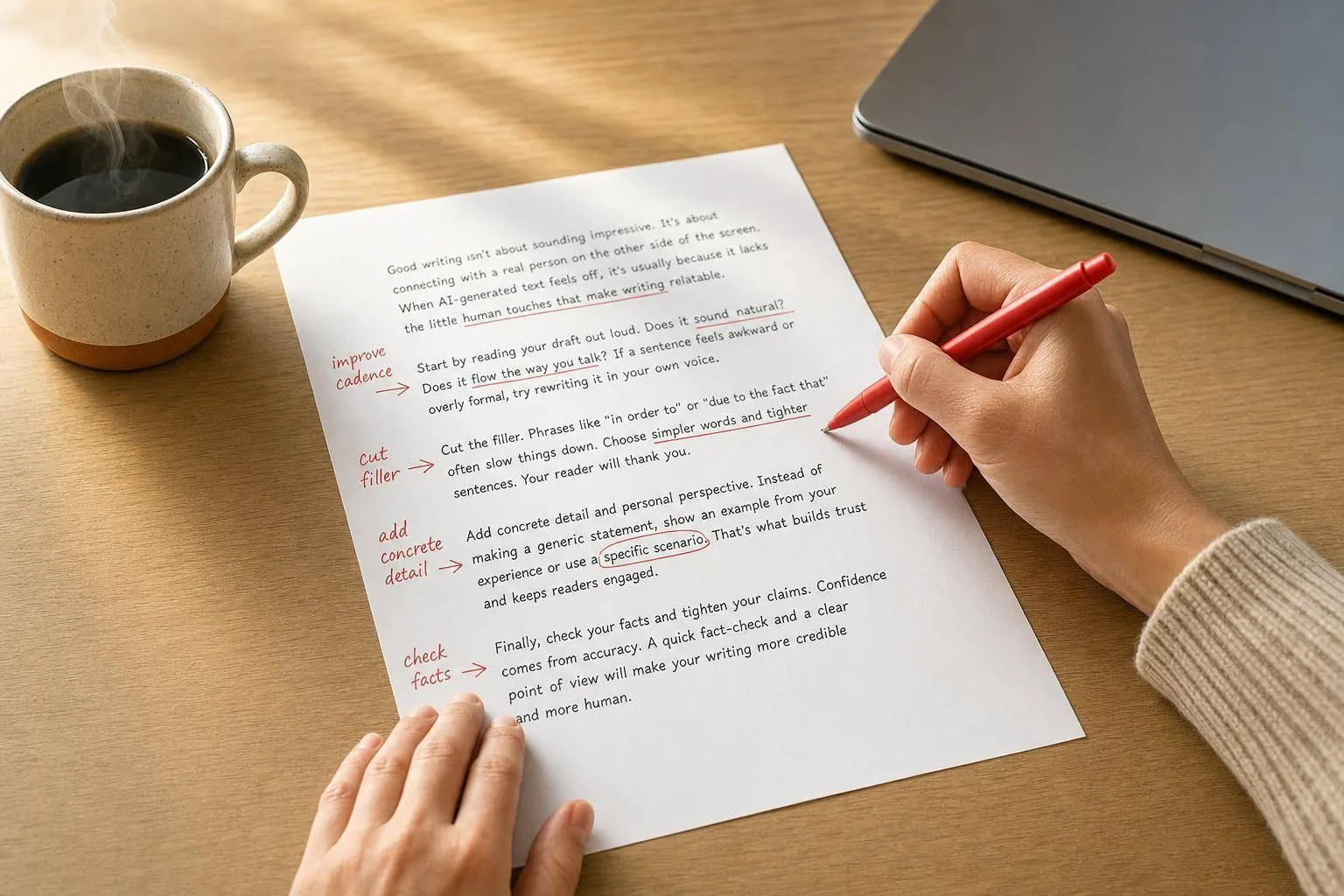
People can spot AI writing a lot of the time - one source puts it at 75%. If you want AI text to sound more like you, I’d keep it simple: cut stock phrases, vary sentence length, add clear details, check facts first, and read the draft out loud.
Here’s the short version:
- I cut stiff filler like “It’s important to note that” and “moreover.”
- I swap vague lines for plain, clear wording.
- I mix short and long sentences so the rhythm doesn’t feel flat.
- I add names, dates, examples, or numbers I can verify.
- I make sure the draft sounds like something I would actually say.
- I use tools in order: draft first, rewrite second, proof last.
A few points stand out from the article:
- AI text often sounds off because the wording is generic and the sentence pattern repeats.
- A human pass works best when I keep the meaning but change the cadence.
- One simple workflow helps: check facts, cut filler, change rhythm, add detail, then read aloud.
- Tools can help, but they should each do one job.
| Step | What I do | Why it helps |
|---|---|---|
| 1 | Cut filler and stock phrases | The draft sounds less stiff |
| 2 | Change rhythm and wording | The copy stops feeling machine-made |
| 3 | Add clear details and check facts | The writing feels more believable |
| 4 | Read it out loud | I catch lines that still sound off |
Bottom line: I don’t need to rewrite everything from scratch. I just need to edit the parts that sound generic, smooth out the flow, and make the draft sound like my own writing.
5 Edits That Instantly Make AI Text Sound Human
Step 1: Spot the patterns that make AI writing easy to recognize
Most AI drafts lean on the same habits. Check for those first before you rewrite anything. Start with the easy tells, then look at sentence rhythm and voice.
Cut stock phrases, filler, and AI transition words
Some phrases appear in AI writing so often that they stick out right away. Words like "furthermore", "moreover", and "in conclusion" sound like a school essay, not how people talk. Openers like "It's important to note that" don't add anything. They just stall the point. Cut them and say the fact plainly.
| AI Phrase to Cut | Human Alternative |
|---|---|
| "It's important to note that" | Delete it and state the fact |
| "Delve into" | "Study", "Explore", or "Look at" |
| "Leverage" | "Use" |
| "Foster engagement" | "Grow", "Connect", or "Talk to" |
After you remove those phrases, make sure the sentence still says everything it needs to say.
Find flat rhythm, vague wording, and repeated structure
AI text often feels too polished in a mechanical way. Every paragraph wraps up neatly. Every transition glides by a little too smoothly. That's one of the easiest patterns to catch. Swap vague verbs like "improve" or "enhance" for direct actions like "cut", "add", "rewrite", or "delete." Plain words usually do more work.
Once you've cleaned up the obvious stuff, read the draft out loud. That step tends to expose anything that still sounds off.
Run a quick self-audit before you start editing
Read the draft aloud and ask yourself:
- Does this sound like something I'd actually say?
- Is it specific?
- Does it sound like my voice?
If it sounds stiff out loud, it'll sound stiff on the page too. Use that gut check to flag anything that feels vague or generic before you start rewriting.
Step 2: Rewrite for natural rhythm, specific details, and your own voice
Once you spot the giveaways, start with rhythm, details, and voice.
Mix sentence lengths and write the way people actually speak
AI drafts often fall into one beat. Sentences come out about the same length. Paragraphs land a little too neatly. Transitions glide from one point to the next with almost no friction. That steady rhythm is a big reason a draft can feel robotic, even when the wording looks fine at first glance.
The fix is simple: break the pattern on purpose. Put a long sentence next to a short one. Use a fragment when it works. Write the way you'd talk, not the way a template talks.
"Voice is the human part: cadence, word choice, and small quirks." [2]
Reading aloud helps here. Not just for stiff phrasing, but for pace. If a sentence makes you pause, trip, or run out of breath, split it.
Swap broad claims for concrete details
Rhythm changes how the draft sounds. Details change whether people believe it.
Generic lines are one of the fastest ways to lose trust. “This strategy improves results” says almost nothing. “Building a newsletter takes real planning - more moving parts than most people expect” feels more grounded. Specific details make a point feel believable.
In August 2026, the writing platform Vuink.com showed this in a live newsletter edit. They took "In today's fast-paced world, building a newsletter audience requires a robust and multifaceted strategy" and rewrote it as "Building a newsletter takes real planning - more moving parts than most people expect." [3] The meaning stayed the same. The draft just sounded more like a person wrote it.
One rule matters here: only add details you can verify. Don't make up numbers or outcomes to patch a weak sentence. If you don't have a stat, use a clear action or a direct observation instead.
Keep your own tone instead of accepting the draft's tone
Once the structure sounds natural, make sure the voice fits the format.
AI drafts usually default to a neutral, professional tone that could belong to almost anyone. That's fine for a starting point. It just shouldn't be the finish line. The goal is to keep the draft's frame while making the final version sound like you.
That looks different depending on the format:
- In emails, use direct requests and a sign-off you'd actually send.
- In LinkedIn posts, lead with a point of view, not a bland statement anyone could post.
- In blog drafts, let your own experience and judgment show up on the page.
"It's not about adding mistakes or making things worse - it's about making the writing feel natural again while keeping all the information intact." - Stas Leonov, Product Reviewer [1]
A simple test helps: would someone who knows your writing recognize it? If not, add a phrase or two you'd naturally use, and cut the corporate filler.
Once the draft sounds natural, put it through a simple editing workflow.
Step 3: Build a simple editing workflow with the right tools
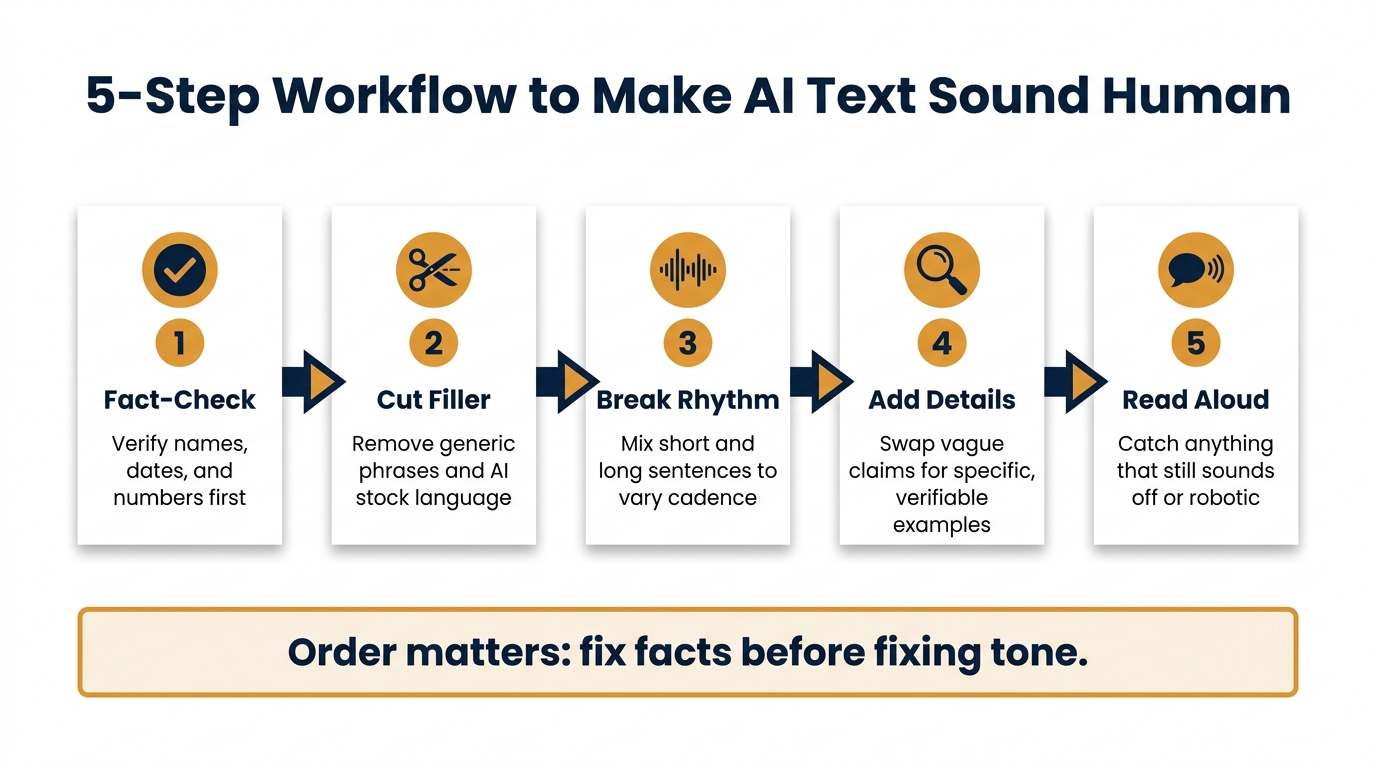
A five-pass workflow for humanizing any AI draft
Once a draft starts to sound more natural, stick to the same sequence every time: facts first, style second.
That order matters. If you tweak tone before you verify names, dates, and numbers, you can end up polishing copy that still has errors.
Here’s a simple five-pass workflow:
- Fact-check names, dates, and numbers.
- Cut generic phrasing.
- Break up sentence rhythm.
- Add concrete details.
- Read it aloud.
It’s simple on purpose. You don’t need a giant editorial system here. You just need a repeatable process that catches the stuff people notice right away: bland language, choppy rhythm, and lines that sound a little too machine-made.
Use UnslopAI to rewrite without losing meaning
The tricky part isn’t changing words. It’s changing cadence without changing meaning.
That’s where UnslopAI fits. Use it for the humanizing rewrite. It smooths cadence, tightens wording, and improves paragraph flow. There’s also a diff view that shows exactly what changed, plus a meaning check that flags anything that may have shifted so you can review it before publishing.
It also flags AI-sounding phrasing before and after the rewrite, which makes it easier to spot what improved.
Use it after your first manual edit, not before.
Where ChatGPT, Claude, Grammarly, Hemingway, and QuillBot fit in the workflow
Each tool should do one job. Then you move on.
| Tool | Role | What it fixes |
|---|---|---|
| ChatGPT / Claude | Draft and outline | Structure, writer's block |
| UnslopAI | Humanizing rewrite | AI patterns, flat rhythm, wordiness |
| Grammarly | Grammar cleanup | Typos, punctuation, syntax |
| Hemingway | Readability check | Passive voice, complex sentences |
| QuillBot | Alternative phrasing | Repetitive word use |
Use them in this order: draft with ChatGPT or Claude, humanize with UnslopAI, then polish with Grammarly and Hemingway.
Save QuillBot for a narrow use case: when one phrase keeps showing up and you need a fast replacement.
Conclusion: A checklist for making AI text sound human
Use this checklist as a final pass before you publish or hit send.
What to check before you publish or send
A lot of AI text falls apart at the very end. It may look clean on the page, but it still sounds stiff, vague, or just a little off. This quick review helps catch that.
| What to check | What to fix |
|---|---|
| AI filler phrases | Cut stock phrases. |
| Flat sentence rhythm | Mix short and long sentences; read aloud. |
| Vague claims | Swap broad claims for specific numbers, names, or examples. |
| Generic transitions | Replace smooth, predictable transitions. |
| Your voice | Keep only lines you'd actually say. |
| Facts | Verify names, dates, and figures. |
If you want a simple rule, use this one: if a sentence sounds like anyone could've written it, give it another pass. Tighten the wording. Add a clear detail. Say it the way you’d say it in real life.
That’s often where the human part shows up.
FAQs
How much should I edit AI text?
Edit it as much as needed to strip out the “AI vibe” without changing what you mean. A roughly 50/50 split usually works well: let AI handle the structure, but keep the voice, judgment, and final pass in your hands.
Keep working the draft until the wording, rhythm, and transitions sound like you rather than a generic template.
How do I keep my voice in AI drafts?
Let AI take care of structure and organization. Keep the human parts for yourself: judgment, specific examples, and your own cadence.
AI tends to slide into smooth, anonymous phrasing. That’s why it helps to put your stamp on the draft. Add your experience, your examples, and the words you’d actually use in conversation. Tools like UnslopAI can also help strip out that machine-like tone and bring back a more natural flow.
What details make AI writing feel real?
AI writing starts to feel human when it sounds like you, not like a polished default setting.
A lot of AI text gives itself away in small, familiar ways: a steady rhythm, transitions that are a little too neat, and endings that tie everything up with the same generic bow. That’s the stuff readers notice, even if they can’t quite name it.
The fix isn’t to throw out AI-assisted drafting. It’s to shape it with human taste.
Change the word choice. Break the cadence. Let one sentence be short and the next do a bit more work. Swap bland phrases for terms you’d actually use in your field. If you work in law, product, medicine, finance, or software, bring in the language, judgment, and edge that come from doing the work, not just describing it.
Specificity helps a lot too. Instead of saying something “improved performance,” say it cut page load time from 4.8 seconds to 2.1 seconds. Instead of saying a campaign “did well,” mention that it dropped CAC by $37 in six weeks. Those details make the writing feel lived-in.
Personal experience matters for the same reason. A quick note like “We ran into this exact issue during a site migration” or “I’ve seen clients make this mistake when they chase traffic over intent” adds a human fingerprint that generic text can’t fake.
The sweet spot is simple: keep the AI-assisted structure, then use human editing to add judgment, sharper examples, and a voice that sounds like it came from someone with skin in the game.