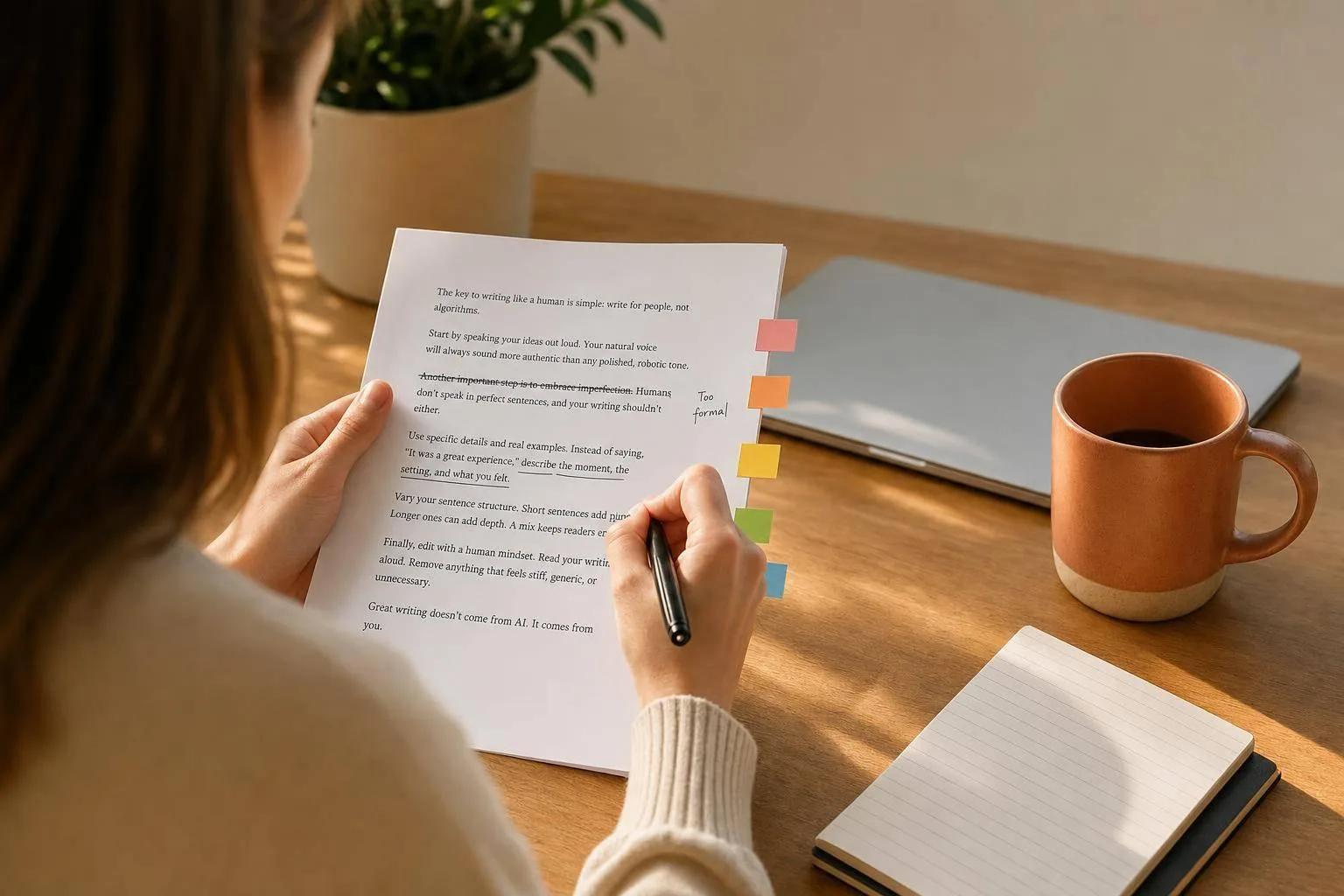
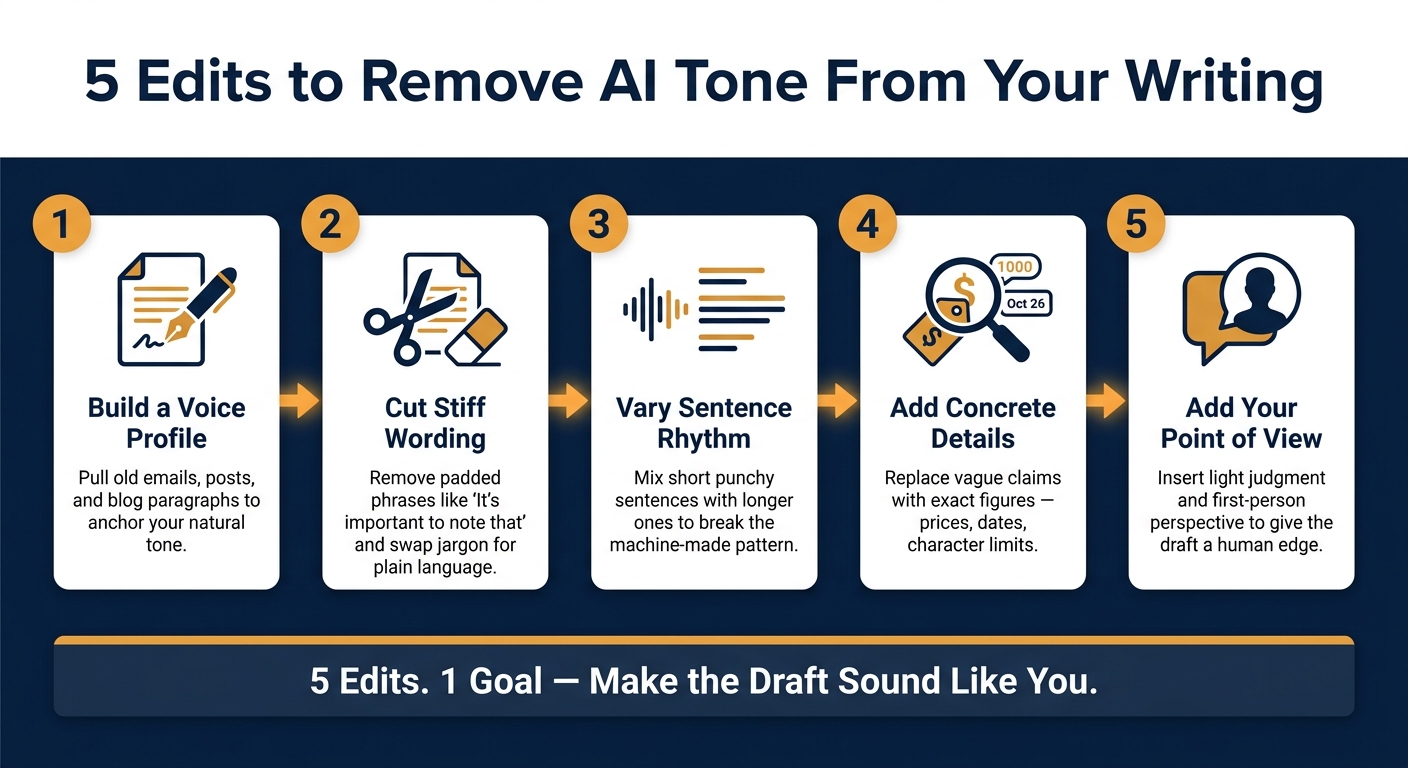
AI drafts are fast. But they often sound flat. The fix is usually not a full rewrite. I’d make five edits: match the draft to my own voice, cut stiff wording, mix up sentence length, add exact details, and put my view back in.
Here’s the short version:
- Use old writing as a guide. Emails, LinkedIn posts, and newsletter intros show how I usually sound.
- Cut filler fast. Phrases like “It’s important to note that” add words, not meaning.
- Change the rhythm. If every sentence is the same length, the draft starts to feel machine-made.
- Use exact details. A price like $4.99/month, a date like Aug. 1, 2026, or a limit like 20,000 characters feels more grounded than vague claims.
- Add a clear view. A small line of judgment can make a draft sound like it came from a person, not a system.
A simple way to think about it: 5 edits, 1 goal - make the draft sound like you.
| Edit | What I change | Why it helps |
|---|---|---|
| Voice match | Compare with past writing | Makes tone feel personal |
| Cut filler | Remove padded phrases | Makes writing cleaner |
| Fix rhythm | Mix short and long sentences | Breaks the machine pattern |
| Add details | Use dates, prices, numbers | Makes claims feel grounded |
| Add point of view | Put in light judgment | Gives the draft a human edge |
If a draft feels too polished, too safe, or too smooth, these are the first things I’d fix.
Humanize AI text manually - burstiness, perplexity, personalising the voice
Why AI Writing Sounds Off
AI often falls back on safe, neutral phrasing. On the surface, that can look polished. But when you read a few lines, it starts to feel flat. The biggest giveaway is usually sentence rhythm.
A lot of AI-written drafts use the same sentence length and the same basic structure over and over. Paragraphs can start to blur together because they sound built from the same template. As software engineer Stas Leonov put it:
"There's this distinct tone that just screams bot - the phrasing feels stiff, the word choices are too safe, everything's overly polished in a way that makes it actually harder to read." [1]
You see the same problem in filler transitions and vague claims. Phrases like it's important to note that or use those insights to drive engagement take up space without adding much. They make the writing longer, not better. AI also has a habit of ending paragraphs by repeating the main point in slightly different words, which makes the whole thing feel formulaic. [3]
The bigger problem runs deeper than word choice. AI has no lived experience and no actual point of view, so it writes from a safe distance. That means no sharp detail, no clear stance, and nothing that feels tied to a real person’s experience.
Start by building a voice profile from writing that already sounds like you.
1. Build a Voice Profile From Real Writing Samples
Start by pulling together a few things you’ve already written yourself. Good picks include old emails, LinkedIn posts, a newsletter intro or two, and a blog paragraph. That gives you a clear reference point for how you normally write - how you build sentences, the words you tend to use, and whether your tone leans more casual or more polished.
Those samples help you spot the patterns that make your writing sound like you.
Use emails and LinkedIn posts as short-form anchors. Then use newsletter intros and blog paragraphs when you want to shape longer drafts.
Next, paste your draft into UnslopAI and rewrite it so it sounds closer to your own voice. Then compare the before-and-after versions side by side. You’ll see what shifted, what got cleaned up, and where stiff wording still sneaks in.
Once you have that baseline, trim the parts that still feel rigid or unnatural.
2. Cut Stiff, Generic Wording
AI text often feels stiff because it plays it safe. It leans on padded phrases, polished wording, and sentences that sound a bit too careful. The fix is simple: strip that stuff out and say things the plain way. Once the wording is clean, then you can work on sentence rhythm.
Start with the opening words. Phrases like "In today's fast-paced world" or "It's important to note that" don't add much. They just take up space. Cut them. Then check the verbs. Words like "leverage" and "foster" can often turn into "use" and "grow" without changing the point. If a sentence says more than it needs to, trim it down.
Use the kind of word you'd use in an email or a post. If you wouldn't say it out loud, it may need a rewrite.
Common AI phrases and cleaner swaps:
| Stiff/AI-Generated Phrase | Plain-English Replacement |
|---|---|
| In today's fast-paced world | (Delete entirely) |
| Robust and multifaceted strategy | Complex plan |
| It's important to note that | (Delete) or "Key" |
| Delve into | Study / Look at |
| Leverage those insights | Use those views |
| Foster engagement | Grow engagement |
| Ultimately, the key takeaway is | Key takeaway: |
| Embracing this mindset | Using this approach |
| Unlock sustainable results | Lead to long-term results |
Over-explained sentences stand out too. "A robust and multifaceted strategy" can often become "takes real planning." Same meaning, less drag. After the wording is clean, shape the rhythm next.
3. Vary Sentence Length and Rhythm
Once you’ve cleaned up the wording, listen to the rhythm. AI text often falls into the same sentence shape again and again. The meaning may be fine, but the paragraph still feels flat.
The fix is simple: change sentence length on purpose. Use a short sentence when you want emphasis. Follow it with a medium line that adds context. If it works, add a longer sentence too, especially when you need to connect ideas without making the writing sound stiff.
Cut fillers like "In today's fast-paced world" or "It's important to note that" and get to the point. Start direct. The aim is natural flow, not a pattern the reader can spot from a mile away.
Read the draft out loud. That’s one of the easiest ways to catch repetitive cadence. And if every paragraph has the same shape, break them up.
If the draft still feels generic, the next fix is specificity.
4. Add Concrete Details
Specific details give writing some weight. They make it feel like someone has actually used the thing, checked the page, or looked at the numbers.
Phrases like "affordable pricing", "recent updates", or "many users" don't say much. They're too fuzzy. Human writing feels more grounded because it names a price, date, number, or brand.
So swap broad claims for exact details. Instead of "affordable", write "$4.99 per month" [2]. Instead of "recently updated", write "updated on Aug. 1, 2026" [2][4]. Instead of "handles long drafts", write "supports drafts up to 20,000 characters" [4]. These are small changes, but they make the writing feel far more real.
A lot of stiff writing falls apart for this reason: it skips the specifics. You can feel the difference right away:
- Generic: "The tool handles very long drafts for professional writers."
- Specific: "The Pro plan includes up to 20,000 characters per draft and 600 rewrites per month." [4][2]
Once the details are concrete, the next step is making the voice sound like it came from a real person.
5. Put Your Point of View Back In
AI-generated text often sounds like it came from no one. The fastest way to fix that is to add a clear point of view without changing the meaning.
The move here is simple: add judgment, not extra commentary. If a process is tedious, call it tedious. If a result is better than expected, say that. That small shift can turn a plain summary into something with a voice.
Use first person lightly. A line like "I've noticed something odd lately" adds a human touch fast. You don't need it in every paragraph. One or two moments of direct perspective can change the feel of a draft. If the voice still feels flat, swap generic phrasing for your own judgment.
Go after lines that read like policy copy. Phrases like "It's important to note that consistency is crucial" don't sound like anyone in particular. A simple rewrite - "That consistency is key" - is shorter, more direct, and sounds like something a person would actually say.
Write like yourself, but keep the original point intact. The table below shows how those edits look in practice.
Before-and-After Examples Table
Here’s how those edits look in practice:
| AI-Sounding Phrase | Cleaner Rewrite |
|---|---|
| "In today's fast-paced world..." | "Start with the main point." |
| "It's important to note that consistency is crucial." | "Consistency is key." |
| "Leverage those insights to foster engagement." | "Use those views to grow engagement." |
| "Building a newsletter requires a robust and multifaceted strategy." | "Building a newsletter takes real planning." |
| "Ultimately, the key takeaway is that..." | "The result is..." |
| "Growth isn't a sprint, it's a marathon." | "Growth takes time." |
The meaning stays the same. The tone is what shifts.
Cut filler. Swap corporate-sounding lines for plain language. That simple change helps the draft sound more like you.
Conclusion
Removing AI tone is an editing job, not a drafting job. The draft already exists. Your job is to clean it up.
Use the five edits above as your final pass.
Then do one more read. Look for transitions that feel too smooth, repeated sentence patterns, and wrap-up lines that sound a little too polished. Make those fixes, then publish.
Natural writing keeps the point clear and strips away the shine.
FAQs
How do I find my natural writing voice?
Start by stepping away from the stiff, over-polished phrasing that shows up in a lot of AI-written drafts.
A good way to get your voice back is to tweak the rhythm, sentence structure, and word choice so the writing sounds more like you actually talk. That cuts down on robotic patterns without changing your main point or flattening your personality.
Which AI phrases should I cut first?
Cut phrases that make your writing sound too polished, too predictable, or just plain robotic.
That usually means trimming stiff wording, playing it less safe with word choice, breaking up repetitive paragraph patterns, and deleting those tidy little wrap-up sentences that don’t sound like something a person would actually say.
Use direct, natural language instead. The goal is simple: make the piece sound more like you.
UnslopAI can help flag and clean up those machine-like patterns without stripping away your voice.
How much editing does an AI draft usually need?
With UnslopAI, edits are usually light, and the whole process often takes about two minutes.
It strips out machine-like phrasing, fixes grammar, and smooths out cadence, structure, and word choice without changing your original meaning. You can also compare the before-and-after version and check the slop score to see exactly what changed.