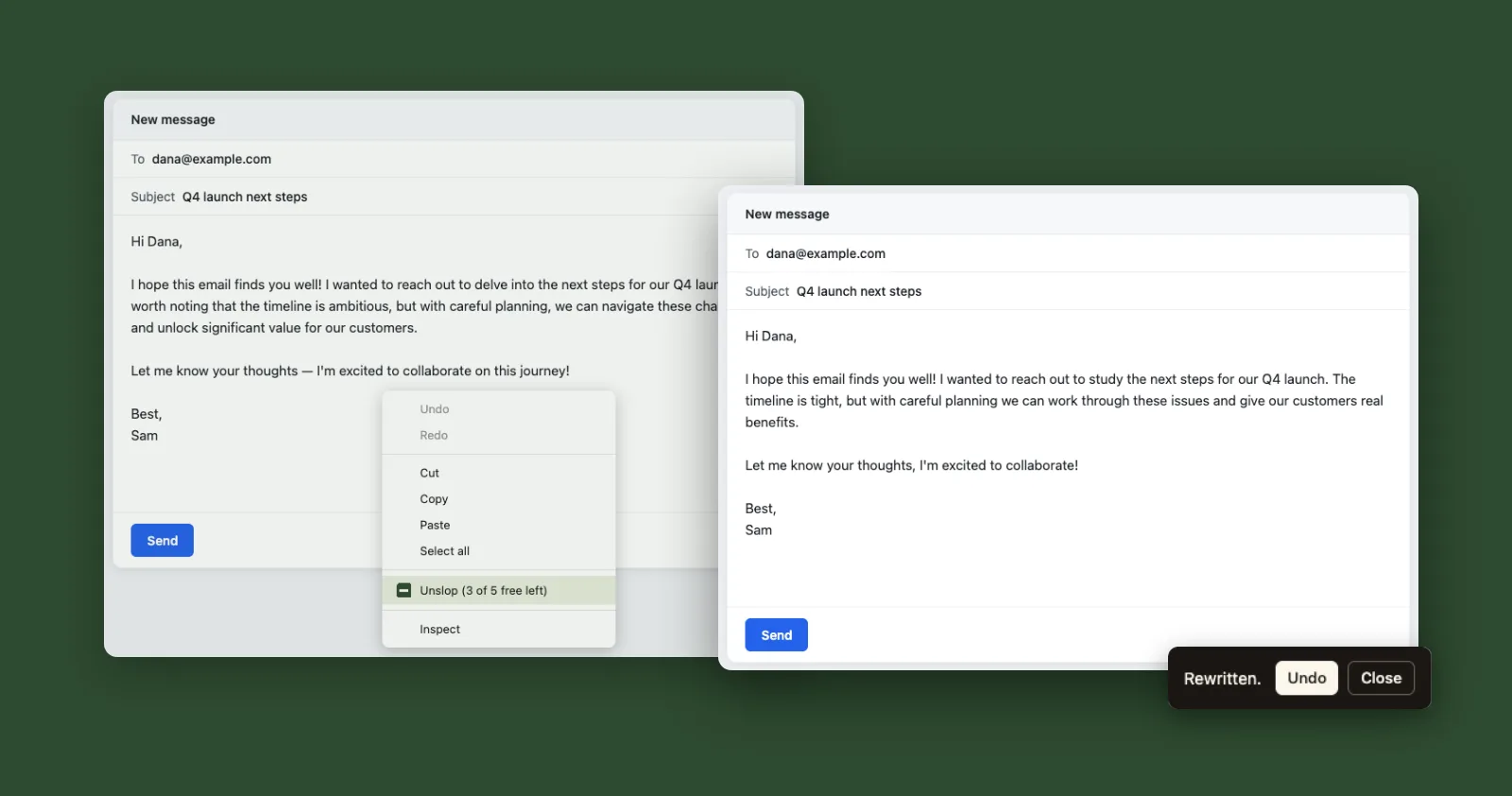
Most drafts people bring to UnslopAI were written somewhere else first: an email in Gmail, a LinkedIn post, a reply in a support tool. Until now, cleaning one up meant copying it into the app. Then you waited for the rewrite and pasted the result back where it came from.
The UnslopAI extension for Chrome skips that trip. Right-click inside a text field, pick Unslop, and the rewrite replaces your draft in the same field.
How it works
- Install the extension from the Chrome Web Store.
- Click the UnslopAI icon in your toolbar and sign in with your UnslopAI account. You don't need a key or any setup.
- Right-click in a text field and pick Unslop.
If you select part of the text first, only that part gets rewritten. Otherwise the whole field does. When it's done a small toast appears, and Undo brings your original back for the next ten seconds.
The menu item shows how many rewrites you have left, so you never have to open anything to check.
What it costs
Nothing extra. The extension works on every plan, including Free. It uses the same rewrites as the app. On Free that's your 5 trial rewrites of up to 1,000 characters each. Small and Pro draw from their monthly allowance.
Where it works
It handles plain text boxes and most web editors: email, comment boxes, CMS fields, social posts. It also runs in Edge, Brave and Arc, which install from the Chrome Web Store too.
A few places it can't edit in place yet:
- Google Docs draws its page on a canvas, so the extension shows you the rewrite to copy instead of swapping it in.
- Some editors are embedded from another site, and the extension can't always reach inside them.
- Text selected outside a field, on a page you're only reading, has no menu item yet.
If you keep typing while a rewrite runs, the extension won't overwrite your new words. It shows the result with a Copy button instead.
Firefox and Safari will come later. If the extension misbehaves on a site you use, write to [email protected] and tell us which one.